Eight Ways In: Notes for AWS Certification
Eight Ways In: Notes for AWS Certification
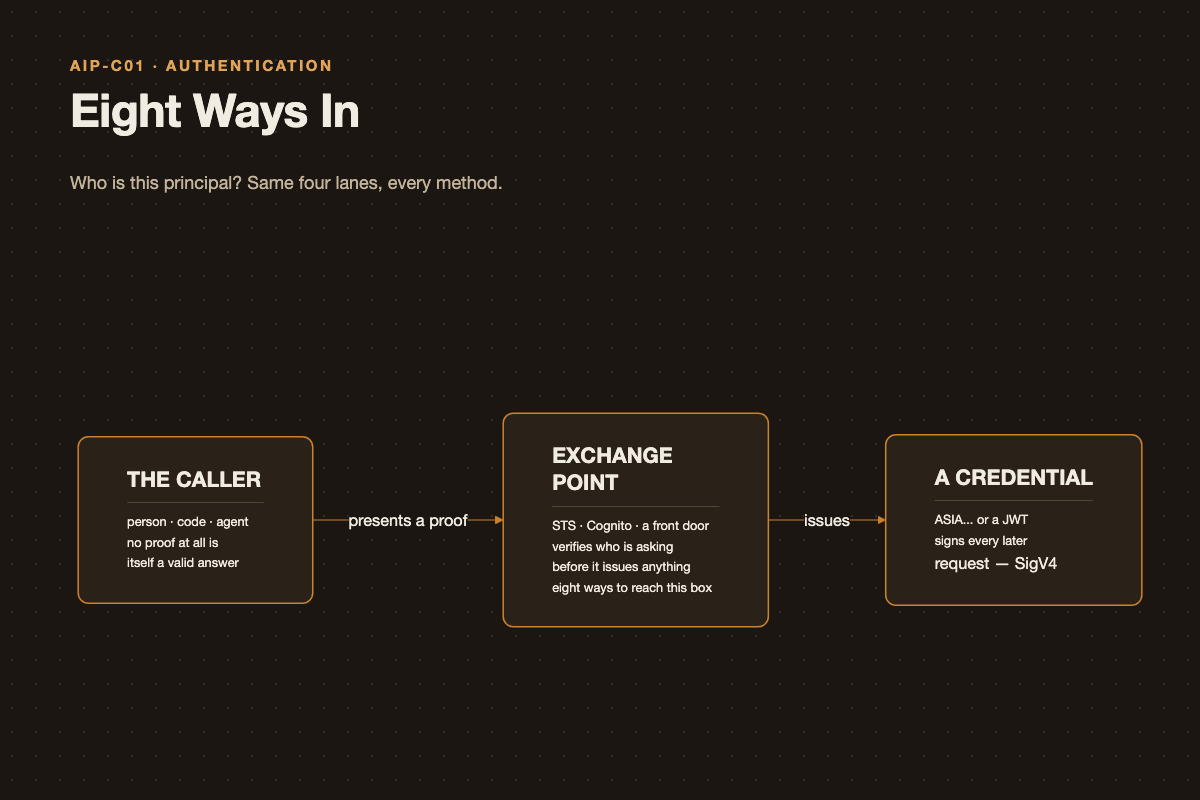
Every AWS authentication question comes down to two things: who is signing in, and what do they need to access. Once you know those two answers, the right method almost picks itself.
Choose Based on Who’s Authenticating
| Situation | Use | Why this choice | Usually don’t use |
|---|---|---|---|
| Customers sign into your web/mobile app | Cognito User Pool | Managed user directory, login screens, JWTs, password reset, MFA, passkeys, social login | IAM users or access keys - those are for AWS administrators/services, not app users |
| Customer uses Google, Apple, Microsoft, or a company IdP | Cognito User Pool federation | Your app gets one consistent Cognito JWT format while the external IdP owns authentication | Building separate Google/Apple token handling into every backend |
| Employees access AWS accounts, the console, or internal AWS apps | IAM Identity Center | Central workforce SSO, group-based AWS account permissions, integration with corporate identity providers | Cognito - it’s primarily for application end users |
| Mobile/web users upload directly to S3 or call AWS services from their device | Cognito Identity Pool + IAM roles | Exchanges a login token for short-lived, narrowly scoped AWS credentials | Embedding AWS access keys in an app - never do this |
| A public API has logged-in users | Cognito User Pool + API Gateway JWT authorizer | API Gateway verifies tokens before requests reach your code | API keys alone - they identify a consumer, but don’t establish a human identity |
| One service calls another (Lambda → S3/DynamoDB, ECS → SQS) | IAM roles | Automatic, short-lived credentials - no secrets deployed with your code | Cognito - there’s no human end user to authenticate |
| A Kubernetes workload calls AWS services | EKS Pod Identity or IRSA | One IAM role per workload/service account, with least privilege | Shared AWS keys stored in Kubernetes Secrets |
| An external server or on-prem workload calls AWS APIs | IAM Roles Anywhere or STS federation | Short-lived AWS credentials, without permanent access keys | Long-lived IAM user access keys |
| A third-party backend calls your API | OAuth 2.0 client credentials (often via Cognito) | A machine identity and scoped access, with no human browser session involved | Password grants, or a shared static API key doing double duty as authorization |
| You only need quotas/usage tracking for developer clients | API Gateway API keys | Good for metering and throttling | Treating an API key as authentication or authorization |
A Mental Model for the Table
Each method is really answering a different question:
- Cognito User Pool - “Who is this app user?” → returns JWTs.
- Cognito Identity Pool - “Can this client receive temporary AWS credentials?” → returns scoped AWS credentials.
- IAM Identity Center - “Which employee can access which AWS account or application?” → workforce SSO.
- IAM roles - “Which AWS workload is making this request?” → service-to-service identity.
- API keys - “Which client or app is consuming this API?” → metering, not strong authentication.
The One to Avoid
IAM user access keys (AKIA…) are a permanent secret and password, all in one. There’s no expiry and no third party attesting anything - the key itself is the entire proof. They still exist for a handful of legacy cases (services that genuinely can’t use roles), but AWS’s own documentation now marks them “not recommended.” If a design calls for one, that’s usually a sign a role would fit better.
Rule of Thumb
For most product applications:
- Start with Cognito User Pools for sign-up and sign-in.
- Add a Cognito Identity Pool only if the frontend itself needs to call AWS directly (e.g. uploading to S3 from the browser).
- Use IAM roles for every backend service talking to another AWS service.
Cognito’s User Pools support passwords, passkeys, one-time codes, MFA, and federated identity providers out of the box; its Identity Pools turn a trusted login into temporary AWS credentials. That combination - plus IAM roles for everything server-side - covers the large majority of real-world designs.